> ## Documentation Index
> Fetch the complete documentation index at: https://docs.theswarm.com/llms.txt
> Use this file to discover all available pages before exploring further.
# Quickstart
> Welcome to The Swarm API implementation guide.
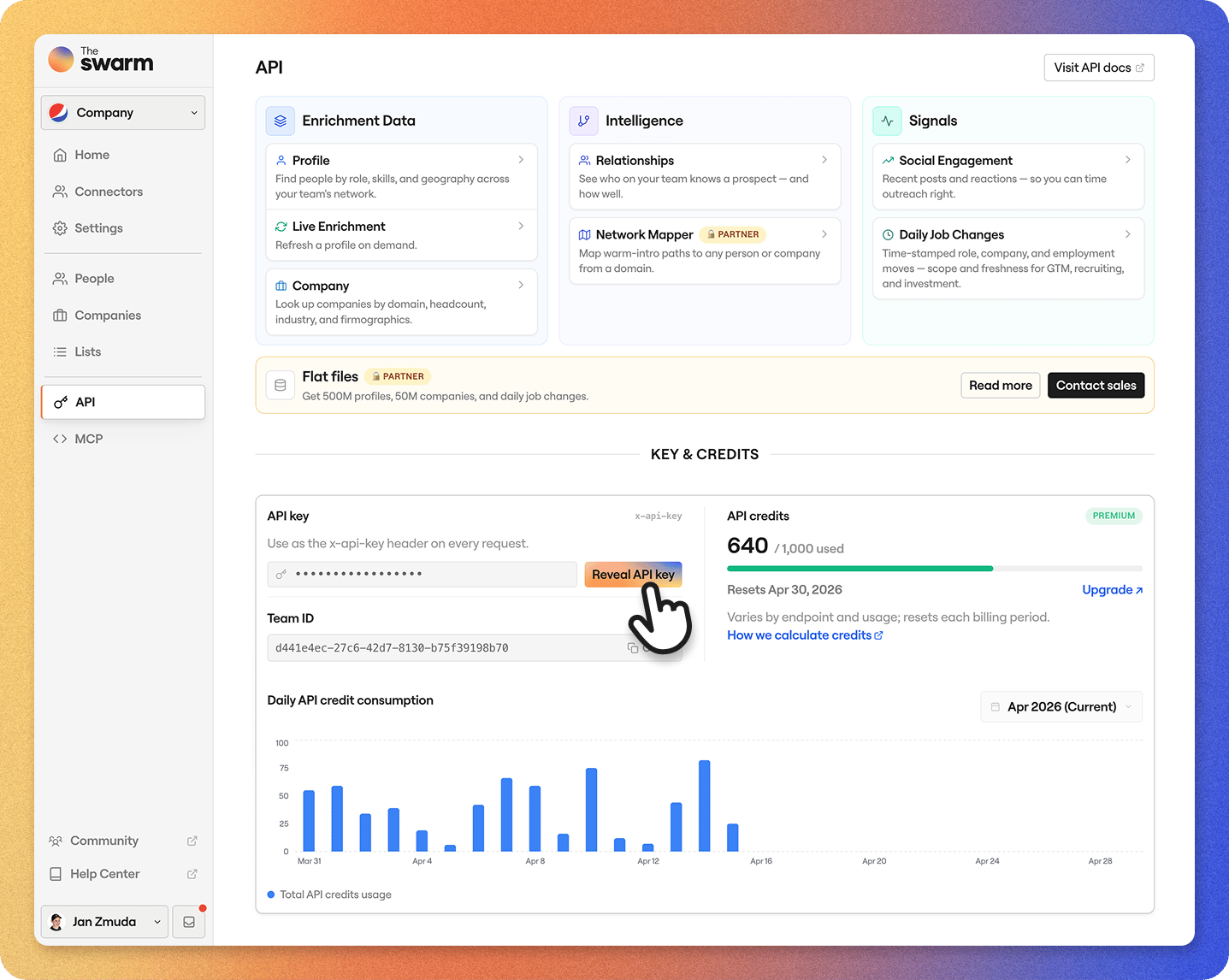 Access to The Swarm API is secured using an API key mechanism, ensuring only authorized users can interact with the endpoints. Each API key is tied to a specific Team within [The Swarm](https://app.theswarm.com), so you must be an owner or admin of a Team and on the appropriate plan to use it.
### Create an account
* Sign up at [https://app.theswarm.com](https://app.theswarm.com)
* During onboarding, add your company’s LinkedIn URL to activate the AI Network Mapper, which maps your team’s network.
* After onboarding, you’ll get a **14-day free trial** of our **Premium plan**, including **API access**.
* Add your connectors, team, partners, customers, investors, advisors, and search through everyone’s combined networks. The **Swarm Relationship Strength Score** automatically evaluates connection quality.
* Explore [plans and pricing](https://www.theswarm.com/pricing) to find the best fit for you.
### Get your API key
1. Navigate to **Team Settings** by clicking your Team name in the top-left corner of the sidebar.
2. Go to the [**API**](https://app.theswarm.com/team-settings/api) tab.
3. Click **Generate API Key** to create your key.
4. Copy the generated key to your clipboard for use.
### Using your API key
Include your API key in the headers of each request by adding it as the `x-api-key` header. This authenticates your API calls and allows access to Team-specific data, such as profiles, lists, and tags.
### Security best practices
Your API key is a powerful credential—treat it like a password:
* **Keep it private**: Never share your API key in public spaces, such as GitHub or client-side code.
* **Protect your access**: Unauthorized use of your API key can compromise your data and system integrity.
* **Start small:** When using the API, we suggest testing with a small batch of inputs first. This allows you to validate your setup and ensure everything works smoothly before scaling your processes.
* **Rate Limits**: Be mindful of rate limits to avoid unnecessary throttling ([**learn more here**](/docs/api-reference/rate-limiting)).
With your API key in hand, you’re ready to securely access The Swarm API and its capabilities!
### Encoding standard
In our systems, URLs are always stored and returned encoded. Characters not allowed in standard URLs (e.g., spaces, special characters, emojis) are encoded using the `%` format. Slugs are stored, returned, and sent in requests decoded, exactly as entered by the user. It is recommended to use encoded URLs and decoded slugs in all requests.
Access to The Swarm API is secured using an API key mechanism, ensuring only authorized users can interact with the endpoints. Each API key is tied to a specific Team within [The Swarm](https://app.theswarm.com), so you must be an owner or admin of a Team and on the appropriate plan to use it.
### Create an account
* Sign up at [https://app.theswarm.com](https://app.theswarm.com)
* During onboarding, add your company’s LinkedIn URL to activate the AI Network Mapper, which maps your team’s network.
* After onboarding, you’ll get a **14-day free trial** of our **Premium plan**, including **API access**.
* Add your connectors, team, partners, customers, investors, advisors, and search through everyone’s combined networks. The **Swarm Relationship Strength Score** automatically evaluates connection quality.
* Explore [plans and pricing](https://www.theswarm.com/pricing) to find the best fit for you.
### Get your API key
1. Navigate to **Team Settings** by clicking your Team name in the top-left corner of the sidebar.
2. Go to the [**API**](https://app.theswarm.com/team-settings/api) tab.
3. Click **Generate API Key** to create your key.
4. Copy the generated key to your clipboard for use.
### Using your API key
Include your API key in the headers of each request by adding it as the `x-api-key` header. This authenticates your API calls and allows access to Team-specific data, such as profiles, lists, and tags.
### Security best practices
Your API key is a powerful credential—treat it like a password:
* **Keep it private**: Never share your API key in public spaces, such as GitHub or client-side code.
* **Protect your access**: Unauthorized use of your API key can compromise your data and system integrity.
* **Start small:** When using the API, we suggest testing with a small batch of inputs first. This allows you to validate your setup and ensure everything works smoothly before scaling your processes.
* **Rate Limits**: Be mindful of rate limits to avoid unnecessary throttling ([**learn more here**](/docs/api-reference/rate-limiting)).
With your API key in hand, you’re ready to securely access The Swarm API and its capabilities!
### Encoding standard
In our systems, URLs are always stored and returned encoded. Characters not allowed in standard URLs (e.g., spaces, special characters, emojis) are encoded using the `%` format. Slugs are stored, returned, and sent in requests decoded, exactly as entered by the user. It is recommended to use encoded URLs and decoded slugs in all requests.